
Quick facts
Open the quest menu
Click the Quests button on your screen to open the Hunter Contracts Journal. You can also press Ctrl + Shift + J.
Take a contract
1
Choose a contract
The Contract Board groups hunting contracts into level brackets. Select a target to view its location, available hunting quotas, and rewards.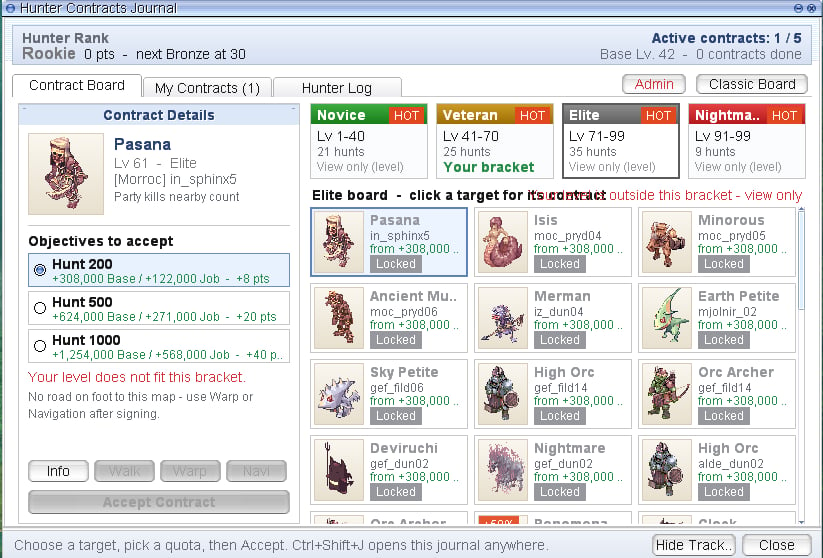
Contracts outside your level bracket can be viewed, but you must meet their level requirements to accept them.
2
Select your hunting quota
Choose your preferred quota, then click Accept Contract. The required kills and reward amounts are displayed before you accept.
3
Track your progress
Hunt the specified monster to advance its kill counter. Use My Contracts to review your active contracts and check your progress.
4
Complete the contract
Reach the required kill count to finish the contract and claim your reward. You can then accept the same contract again.